
Website builder for your own server
The website builder you set up once and hand to the people who run the business.
Talea comes with finished designs, editing right on the page and bookings, forms and a newsletter built in. One installation can run the websites of all your locations or stores, on your own server.
One installation for every location
A business with several locations, stores or brands runs all their websites from one installation. Each location has its own address, pages, opening hours and people, who can be limited to their own site.
- One look for all. Publish a new design on the main site and every location takes it over. The locations cannot change it on their own.
- One list for enquiries and bookings. Enquiries and bookings from every location arrive in one list, which you can narrow down to a single site.
- Bookings with confirmation. Customers pick a time online and get a confirmation by e-mail with a link to cancel. For services that need it, you confirm each request first.
- Shared photos and files. What you upload once is available on every site.
| Site | Look |
|---|---|
[Business name][main-domain] | Hands down the look |
[Location 2][domain-2] | Follows the main site |
[Location 3][domain-3] | Follows the main site |
Several sites are switched on with one setting when Talea is installed.
Start from a finished design
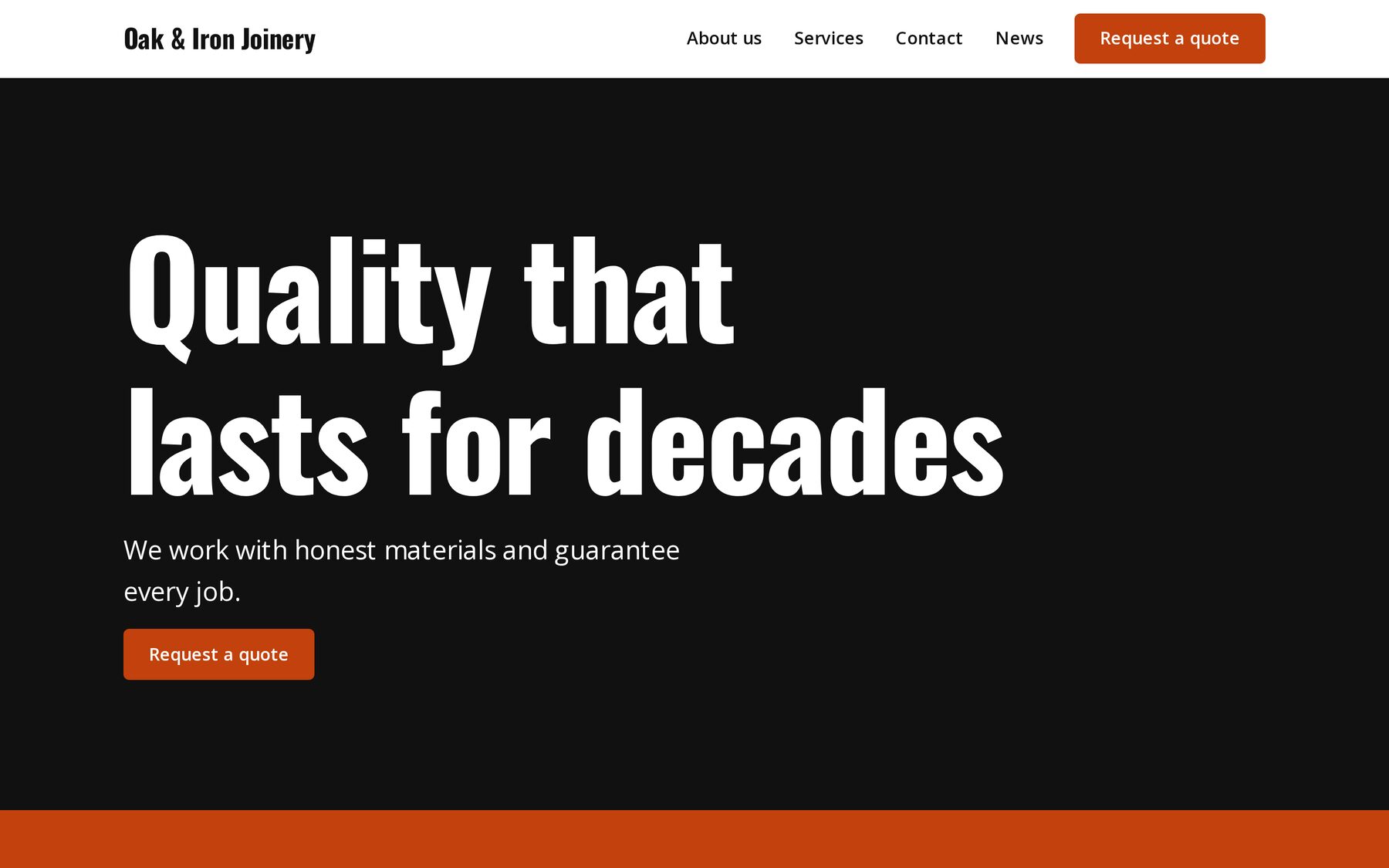
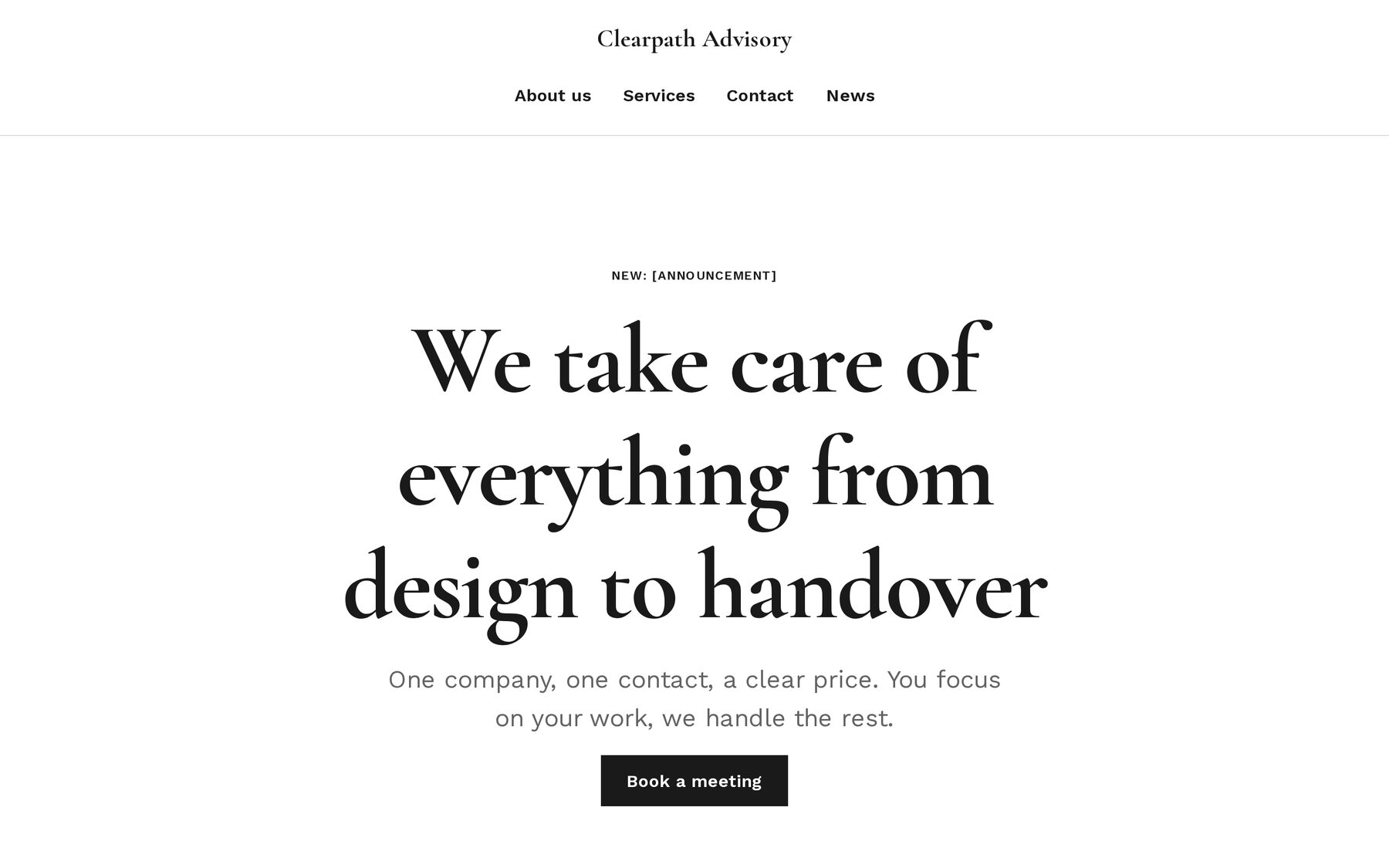
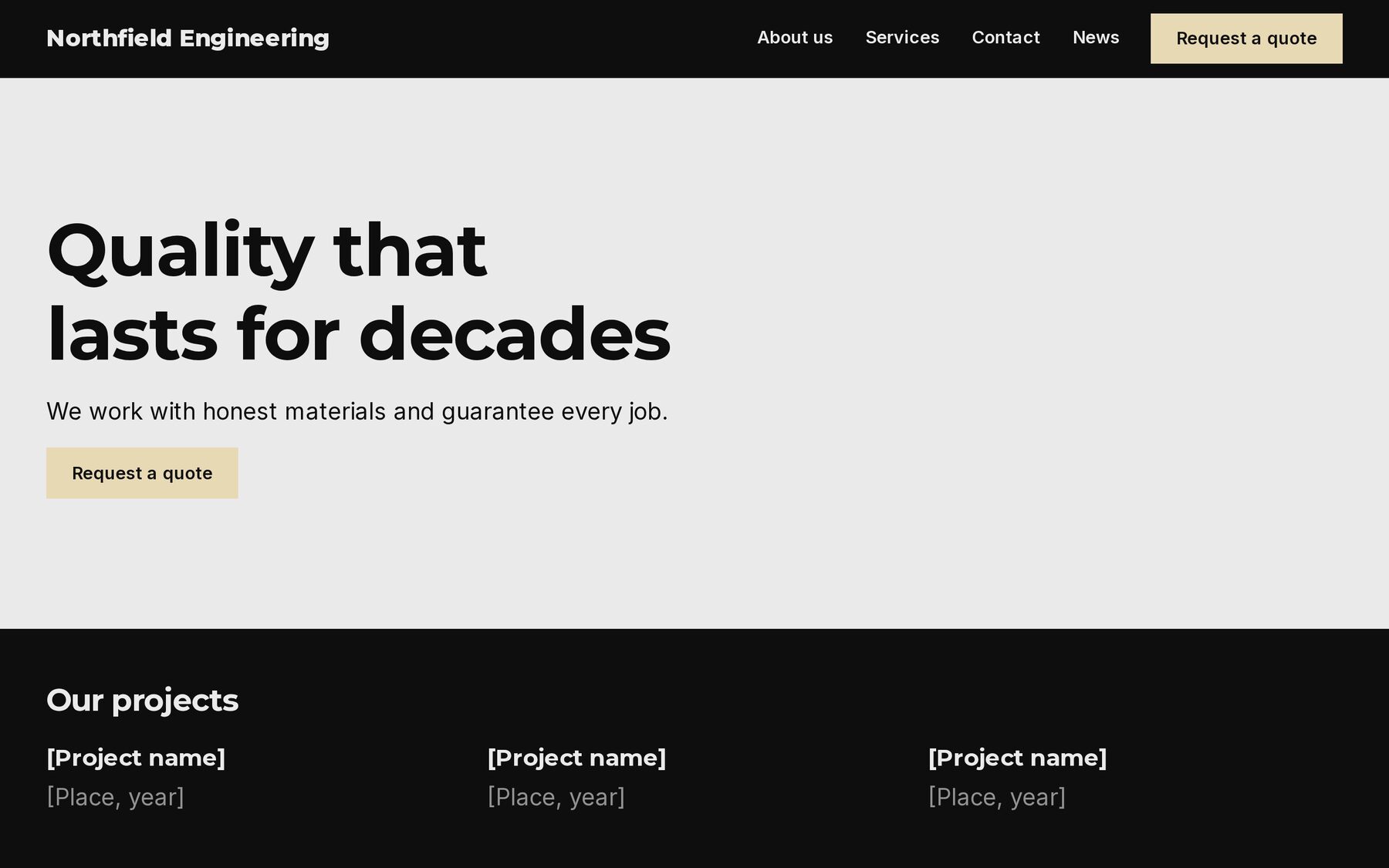
Each of the 14 looks sets colours, fonts, header and footer. You try a look on your own pages before you apply it, and changing the brand colour later restyles the whole site.
Will they really edit it on their own?
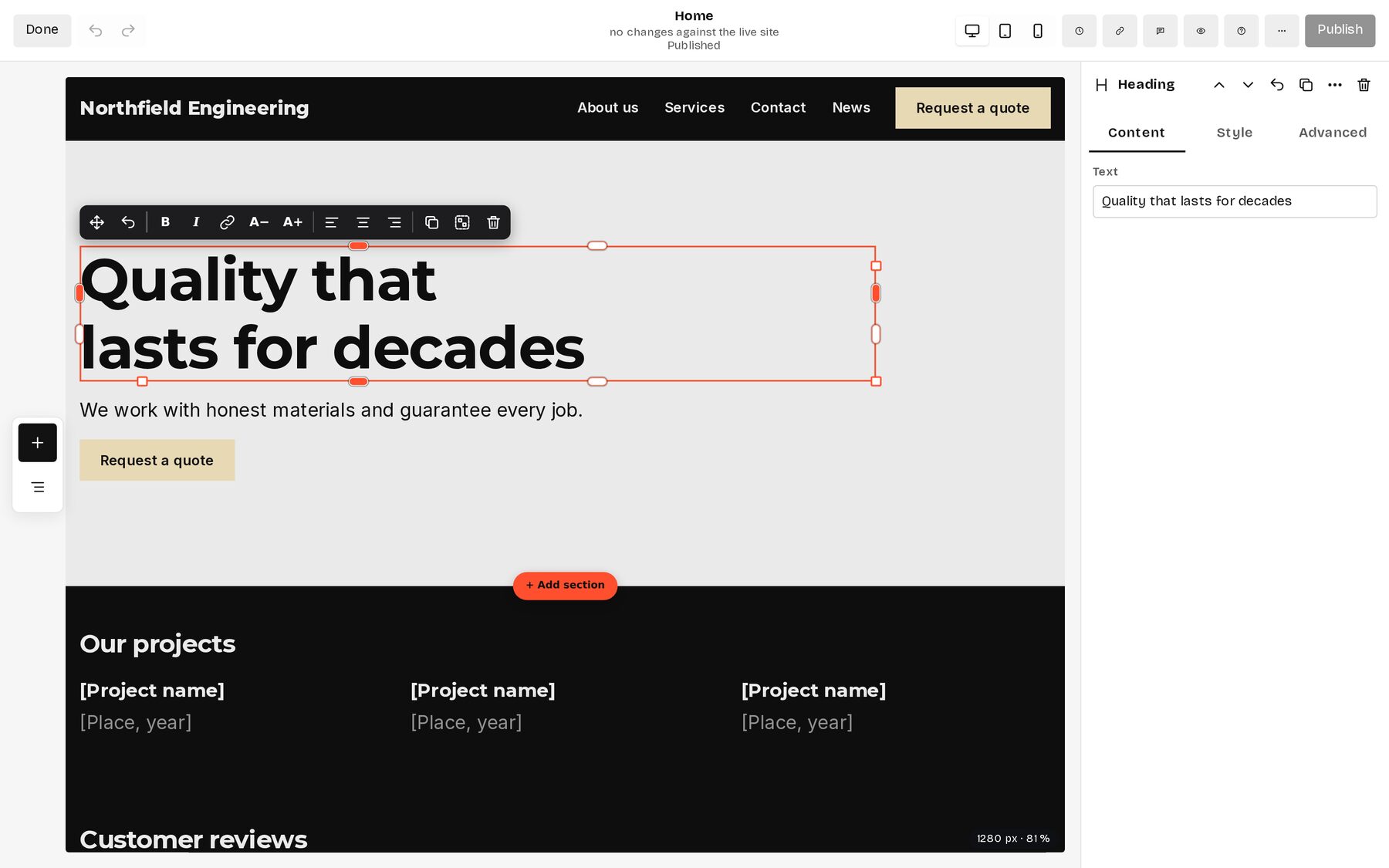
They click a headline on the page and type over it, and drag a photo in from the desktop. Phone and tablet are one click away. The design lives in shared styles, so a new text leaves the layout alone.
You decide who may publish and who only writes drafts. Every published page keeps its last 20 versions, and anything deleted waits in the trash for 30 days.
| Title | Status | Edited |
|---|---|---|
Home/ | Published | 2 hours ago |
Kitchen fitting/kitchen-fitting | Awaiting publication | Today |
Opening hours/opening-hours | Scheduled | Yesterday |
About us/about-us | Published | 3 Nov |
What the business needs is already there
There are no plugins to choose or to patch. Everything here is part of Talea, and most of it can be switched off when a site does not need it.
Who keeps it running?
An update is a new container image, and database changes apply before the site starts. Code cannot be uploaded through the admin. One installation can run many sites, each with its own people and rights.
The backup has been sent to S3.
Database changes were applied before the site started.
Backups go to FTPS or S3 on a schedule. Choose where and how often.
When an AI assistant helps
Claude and other assistants connect over MCP and can do what the editor can, with the same checks. For each connection you choose whether the assistant may publish or only writes drafts with a preview link. A whole session can be undone for 30 days.
Awaiting publication
Claude prepared a draft of Kitchen fitting. Two gaps are left for you: [price] and a photo of a finished kitchen.
| Session | Changes | Actions |
|---|---|---|
Claudecreate_page, build_from_html, create_form | Today, 10:12 | Undo the session |
Renting a website and running your own
| Renting a website | Running Talea |
|---|---|
| A monthly fee for as long as the site exists | Free software. You pay for the server. |
| The content lives on the provider’s servers | The content lives on yours. |
| You export what the provider allows | You export everything in an open format. |
What people ask before they install it
Can my client edit it without calling me?
Yes, on the page itself. You give each person exactly the rights they need, from writing drafts to publishing.
Do I need plugins for a contact form or bookings?
No. Forms, bookings and a newsletter are built in.
Who keeps it updated?
Whoever installed it pulls a new image. There are no plugins with updates of their own.
Can I take everything with me?
Yes. Talea exports the whole site as an open archive that another Talea installation, or your own code, can read.
Can I run several locations or stores?
Yes. One installation runs a website for each location, with one shared look, one media library and one list for enquiries and bookings. Each location keeps its own address, pages and people.
Can I sell online with it?
You can show products with prices and variants and collect order enquiries in a basket. Checkout and payments are not built in.
Why self-host at all?
The business keeps its site, its customer data and its costs in its own hands.
Choosing between a hosted builder, WordPress and Talea? The guide on how to choose a CMS for a small business compares them with facts from their own pages.
Why Talea is a fork of Kaleta
Christian started Talea in October 2026 from Kaleta 3.7.0, a CMS for business websites by Miroslav Kaleta and contributors. The page builder, the design system, bookings, forms, the newsletter, collections and the AI connection came with Kaleta.
Kaleta is made for business websites on ordinary PHP hosting, and it leaves some things out on purpose: finished designs, a font library, AI inside the admin, member areas and A/B tests. Those decisions suit Kaleta and its users. A website builder that an owner runs alone needs exactly these things, so Talea became a project of its own. It keeps Kaleta’s history, and security fixes from Kaleta are ported first.
For the business this means the websites of several locations from one installation, with one look and one list for enquiries and bookings, and the other differences in the table below.
| Topic | Kaleta 3.7.0 | Talea |
|---|---|---|
| Several websites | One website per installation. | Websites for several locations, stores or brands run from one installation. They share one look and one media library and keep their own pages, people and bookings. |
| Choosing a design | You set colours, fonts and sizes yourself. | You pick one of 14 finished looks and see it on your own pages before you apply it. About 28 fonts come with it. |
| Arranging a page | Spacing and sizes are set in a side panel. | You drag spacing, sizes and columns on the page itself, and you can place elements freely on a grid. |
| Forms | A form belongs to the page it sits on. | One form can sit on several pages and is edited in one place. |
| Help from AI | An assistant such as Claude connects from outside. | The admin also has a setup assistant that drafts the site from a few answers, and an Ask box in the builder. Both use your own key and only write drafts. |
| Search engines and AI assistants | A content check that takes the title as the keyword, a short file at /llms.txt for AI assistants and a Markdown copy of each news item. | One section holds everything that helps a site get found: a score from 0 to 100 with fixes for each page, a focus keyword per page, titles for the whole site, missing pages with a one-click redirect and search figures per page. |
| Members | Every page is public. | Pages, news and collection items can be limited to members, who sign in with a link sent by e-mail. |
| Trying two versions | Not included. | Two versions of a page or section run side by side, and you choose the one that works better. |
| Updates | One click in the admin, on ordinary PHP hosting. | Whoever runs the server pulls a new version. The owner never has to update anything. |
Changes in Kaleta after the fork are read and rebuilt in Talea, so far through Kaleta 3.11.0. If you want ordinary PHP hosting with updates from the admin, Kaleta is the better fit.
Three commands on a server with Docker
Talea runs as one container next to a database. After the commands, the setup in the browser asks for the site name and the first administrator.
curl -O https://raw.githubusercontent.com/czepter/taleacms/main/docker-compose.yaml
echo "TALEA_DB_PASSWORD=$(openssl rand -hex 16)" > .env
docker compose up -d
# then open http://localhost:8080
For the technical folks
- Plain PHP 8.5 without a framework or build step, licensed GPL-2.0-or-later.
- MySQL 8, MariaDB 11.4+, PostgreSQL 18 or SQLite.
- Signed images for amd64 and arm64. Migrations run before the site starts.
- Several sites in one installation with
TALEA_MULTISITE=1, each answering to its own domain. - An MCP server with 173 tools, covering what the editor can do.
- No third-party scripts or fonts on the published site.